How do I change my email password

If you still remember your email password and you just want to use a different one, you can change it inside Webmail.

  1. Log in to your Webmail account using your email credentials. Simply type in your domain followed by "/webmail" in your browser's address bar (e.g., https://webmail.yourdomain).

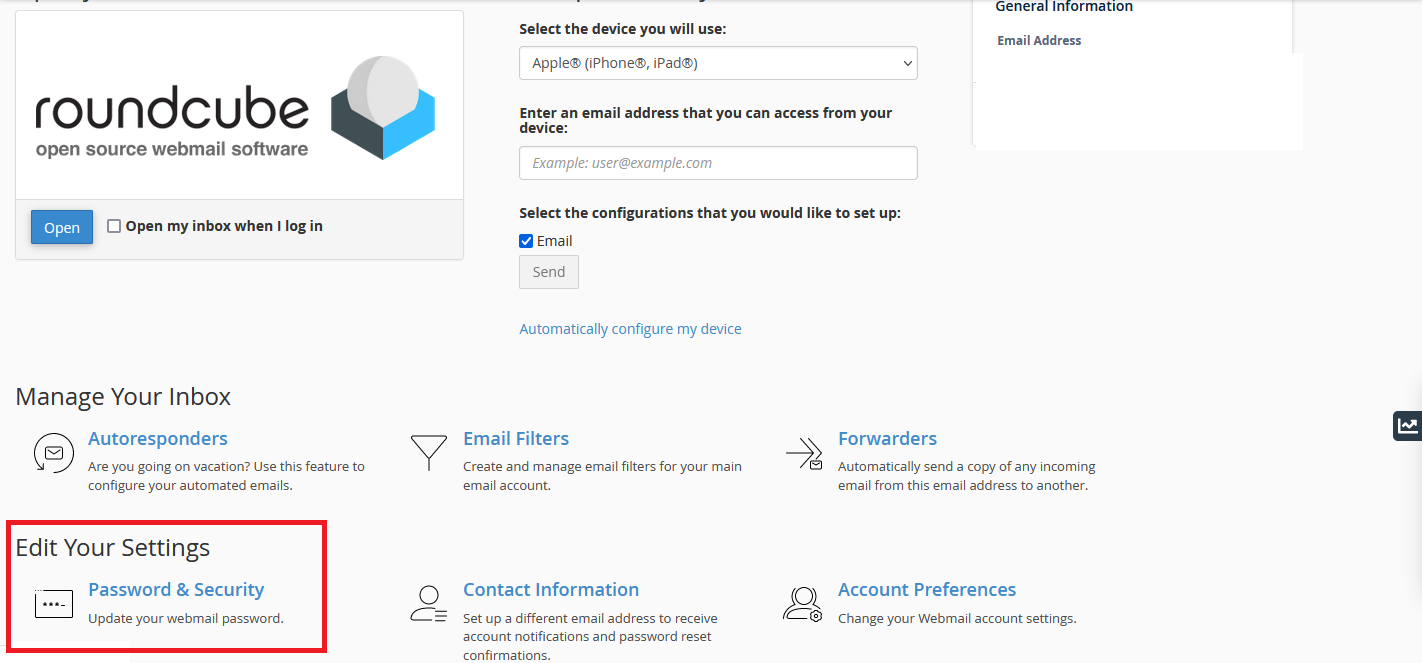
  2. Once logged in, navigate to the "Password & Security" section by clicking on "Edit Settings."
  3. Enter your current password, followed by your desired new password. Confirm the new password to ensure accuracy.
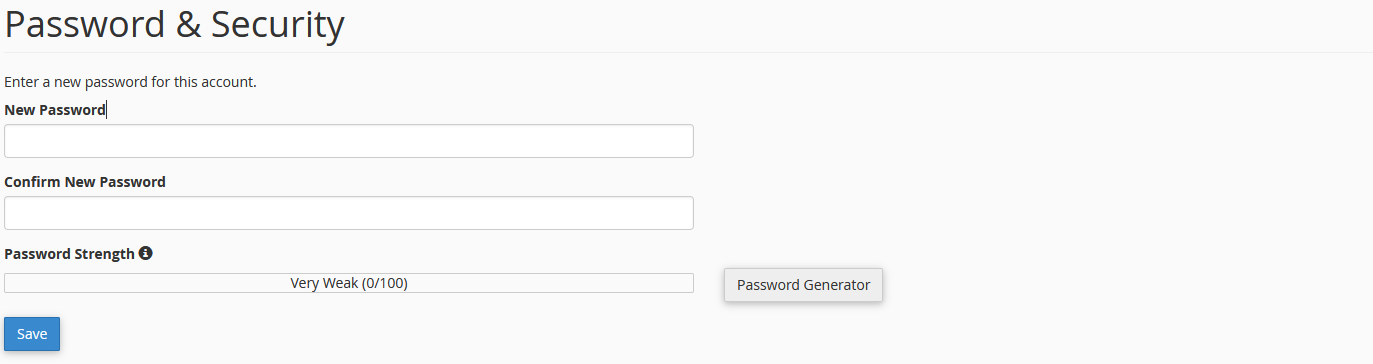
  4. Save your changes.

And that's it! Your email password has been successfully updated.

  • Webmail, change password
  • 9000 أعضاء وجدوا هذه المقالة مفيدة
هل كانت المقالة مفيدة ؟

مقالات مشابهة

إضافة وإدارة المنتجات

إضافة منتج قبل إضافة أول منتج لك، دعنا نتعرف على كيفية عمل فئات المنتجات والعلامات والسمات....

كيفية إضافة مقال في وردبريس

    كيفية إضافة مقال في وردبريس؟   سجل دخول إلى لوحة التحكم الخاصة بوردبريس انتقل إلى...

How to create an awesome flat responsive Portfolio

Step 1: Select Portfolio Type What kind of portfolio do you wish...

How to Link a Work Account to a Gmail Account

  1. Log into your Gmail account. Go to "Account Settings" in the upper-right corner of the...

تم الوصول إلى حد الموارد خطأ

إذا كنت تتلقى الخطأ التالي ، فإن أيًا من حسابات الاستضافة المشتركة المستندة إلى Linux: لقد وصلت...