How do I change my email password

If you still remember your email password and you just want to use a different one, you can change it inside Webmail.

  1. Log in to your Webmail account using your email credentials. Simply type in your domain followed by "/webmail" in your browser's address bar (e.g., https://webmail.yourdomain).

  2. Once logged in, navigate to the "Password & Security" section by clicking on "Edit Settings."
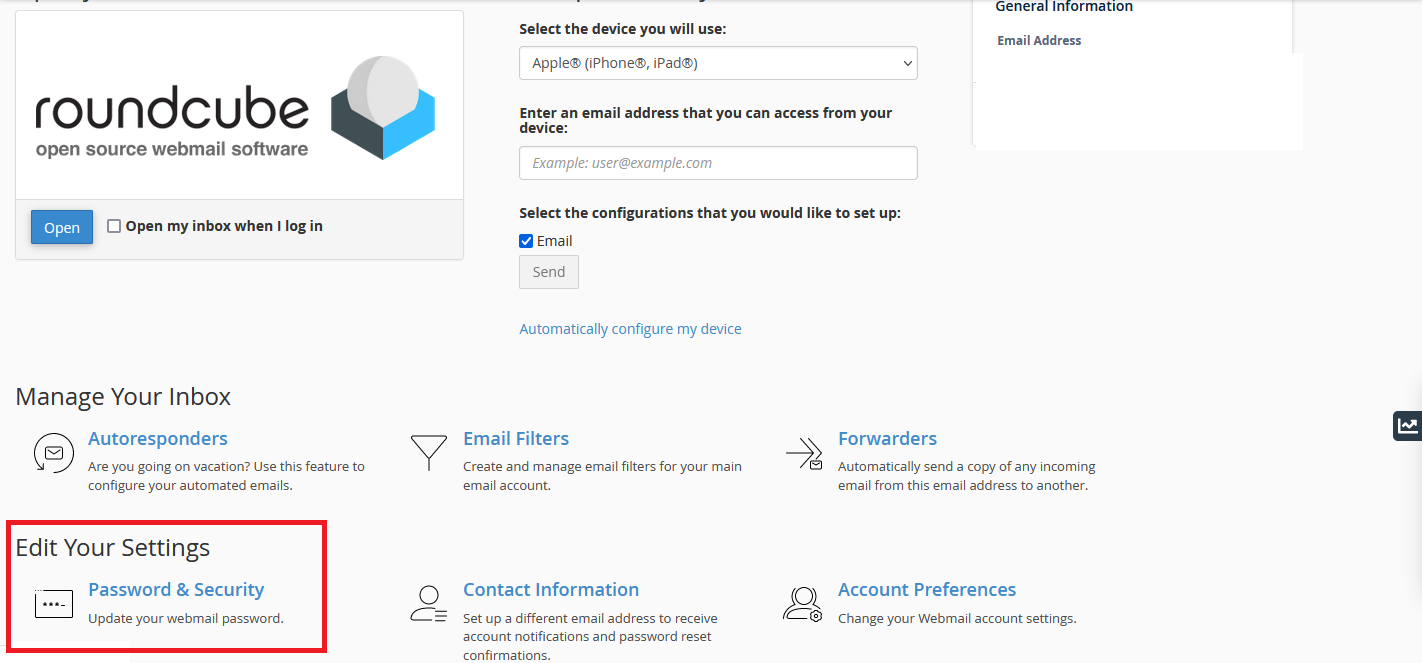
  3. Enter your current password, followed by your desired new password. Confirm the new password to ensure accuracy.
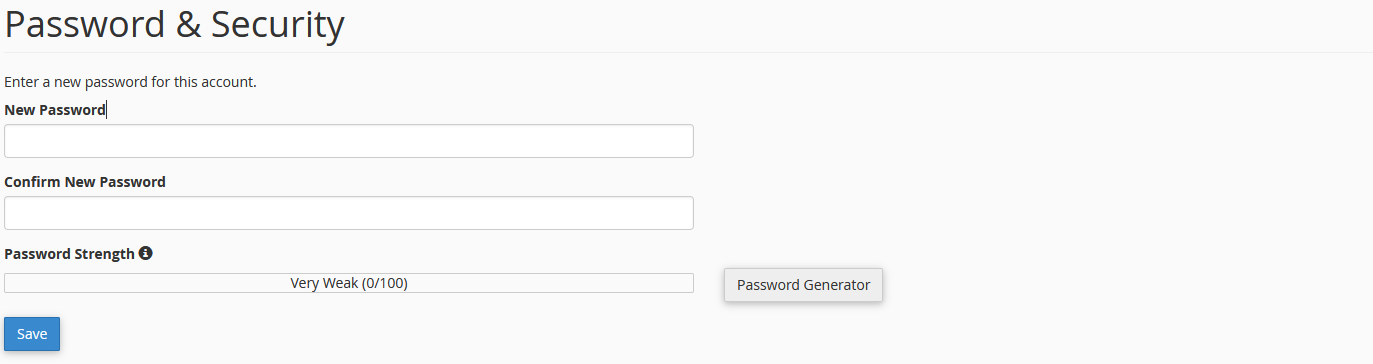
  4. Save your changes.

And that's it! Your email password has been successfully updated.

  • Webmail, change password
  • 9000 Kunder som kunne bruge dette svar
Hjalp dette svar dig?

Relaterede artikler

Adding And managing Products

Adding a product Before adding your first product, let’s get familiar with how product...

How to Add a Blog Post in WordPress

  How to Add a Blog Post in WordPress?   Log into your WordPress Dashboard. Go to Posts....

How to create an awesome flat responsive Portfolio

Step 1: Select Portfolio Type What kind of portfolio do you wish...

How to Link a Work Account to a Gmail Account

  1. Log into your Gmail account. Go to "Account Settings" in the upper-right corner of the...

Resource Limit Reached error

  If you are getting the following error any of our Linux based Shared hosting accounts:...